
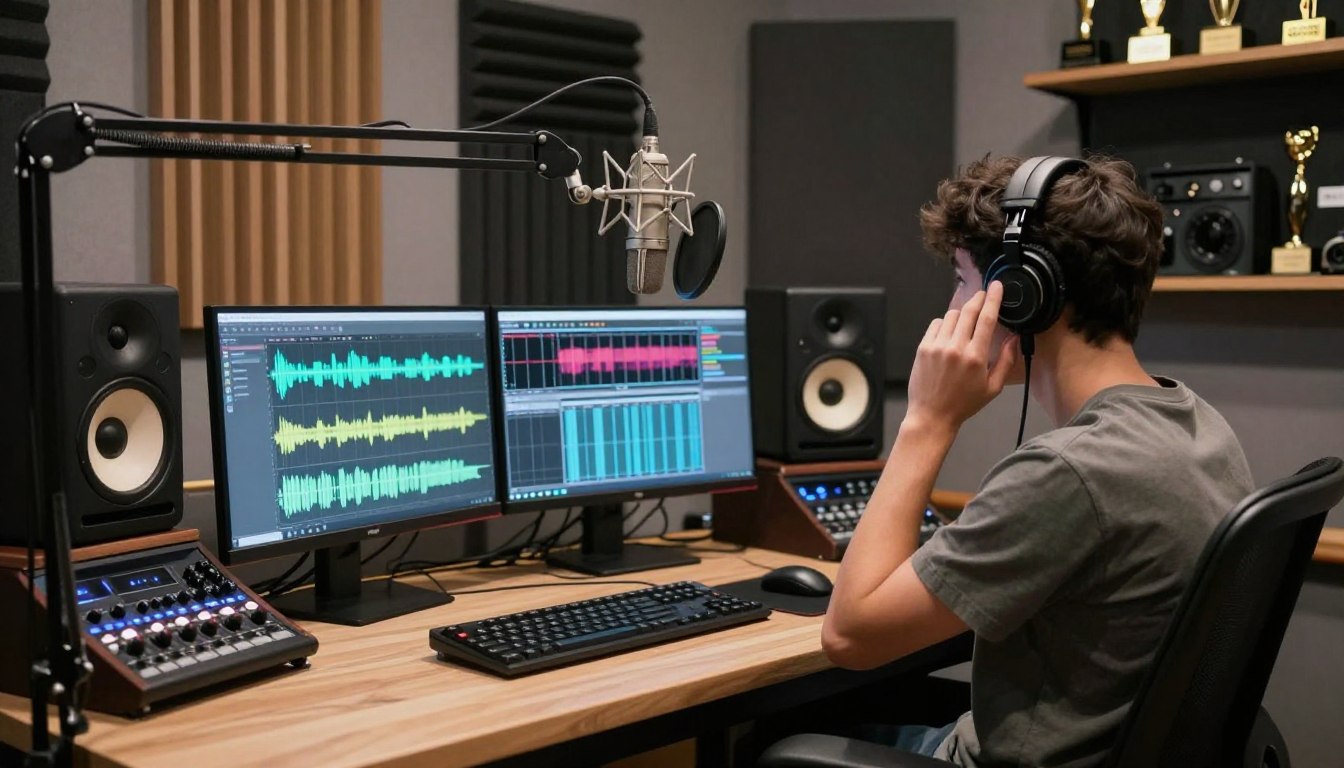

When Will AI Have Fully Realistic Voice Changer: A Complete Guide
AI can already make many voices sound convincingly different, but no dependable tool reproduces every human nuance in every situation. If you are choosing technology for a call, a game, or recorded content, the answer depends on what you need the voice to do.
Realistic transformations are available for selected uses, but a voice that convinces across every emotion, speaker, and language is not yet a dependable universal experience. Live conversation also puts different demands on a tool than edited audio, where you can replay and adjust the result.
This article helps you judge quality, compare practical options, and choose tools suited to your setup. It also covers where testing, consent, and careful expectations matter. Treat “fully realistic” as a moving quality bar, not a launch date you can count on.
Key Takeaways
- Realistic voice changing already works for selected live and recorded tasks.
- Live conversation needs low delay as well as convincing sound.
- Voice cloning creates a reusable model; changing your voice does not automatically copy someone.
- Free plans often limit voices, minutes, downloads, or commercial use.
- Test the actual microphone, app, language, and device you plan to use.
- Get clear permission before using another person’s identifiable voice.
What Does a Realistic AI Voice Change Actually Mean?
A convincing transformation changes the vocal character without making the words harder to understand. A realistic voice keeps the message clear while changing qualities such as pitch, tone, and rhythm.
Voice changer AI tools can make a voice sound higher, lower, older, brighter, or more stylized. But pitch alone is not a quality test. Natural pacing, steady tone, clear consonants, and emotion that fits the words matter more than a dramatic first impression.
Judge the full sentence for clarity and natural delivery. A dramatic pitch shift cannot hide awkward pauses or blurred consonants.
Prosody is the rhythm, stress, and intonation patterns that make speech sound expressive. It helps listeners hear a question, a joke, or a reassuring comment as intended. Good voice technology preserves the speaker’s timing and intent instead of flattening every sentence into the same delivery.
Before-and-after listening is more useful than judging a short clip. Play the same sentence in both versions, then check whether the transformed voice keeps its pace and meaning.
- Do pauses fall in sensible places?
- Do consonants remain crisp and easy to follow?
- Does the tone stay consistent through the whole sentence?
- Does the emotion fit the words rather than fight them?
Voice changers can process a microphone input in real time or alter recorded audio. Both types need to preserve intelligibility, but recorded audio gives you room to replay, edit, and reject a weak take. Judge a sample by the whole sentence, not by an impressive first syllable.
How Is Voice Changing Different From Voice Cloning?
If you need to change how you sound while chatting, choose live voice changing; if you need a reusable model of a particular voice, that is cloning. The purpose determines which tool fits.
Live voice changing processes a person’s microphone input while they speak. Voice cloning creates a model from audio samples, then uses that model to generate or transform speech later. A voice changer does not automatically make you sound like a particular real person.
Live voice changing
A live changer applies a preset or selected effect to your incoming speech. You speak into a microphone, and the processed sound passes to a chat, game, or streaming app through its audio input. This is useful when you want a different vocal character, not a named person’s identity.
Cloning a specific person’s voice
Voice cloning makes a reusable model from a person’s samples. Some systems can generate speech from text, while others can convert recorded speech into the modeled voice. In May 2026, Inworld Realtime TTS-2 supported API voice cloning from 5-15 seconds of audio. ElevenLabs describes instant cloning from seconds of audio and professional cloning from 30-minute samples.
Three distinctions help you choose between voice changer tools and voice changers:
- Live processing changes speech as you speak; cloning can generate speech later.
- A preset changes vocal style; a named identity represents a specific person.
- A live changer uses microphone input; cloning starts from recorded samples.
A preset may make you sound like a cartoon, a robot, or a character type. That is different from copying an actor or another identifiable person. Never treat a short sample as permission to copy the person who recorded it.
When Will AI Have Fully Realistic Voice Changer Technology?
You can use AI to sound convincingly different today, but there is no reliable date for universal, indistinguishable performance. Useful tools already exist, though their results depend on the voice, task, and conditions.
Online access does not guarantee natural output, low delay, or privacy. A strong result in a quiet demo may change when you use another microphone, speak with a different accent, or join a busy call. No date can responsibly promise human-level results across all voices and situations.
One benchmark can help you understand progress, as long as you know what it measures. In May 2026, Inworld Realtime TTS-2 was listed at approximately 1,208 ELO on the Artificial Analysis Realtime TTS Arena. The rankings use blind user-preference comparisons.
An ELO score reflects comparative wins against other entries. It is not a percentage score for human realism. The arena tests text-to-speech preferences, so its score is not a direct head-to-head test of every live voice changer.
That distinction matters when you are asking when AI will have fully realistic voice changer online. Browser access tells you where you can use a tool, not whether the voice will sound natural through your full call setup. The connection, processing, and audio routing still affect the result.
A ranking also cannot tell you whether a voice fits your use. For a stream, you may care about emotional range and stable routing. For a recorded character, you may care more about consistent delivery and the ability to redo a line.
Compare tools using the same sentence and connection conditions, rather than treating one ranking as a promise.
Which Human Voice Details Still Trip AI Up?
The hardest part is often not changing pitch but making a pause, laugh, or emotional shift feel unforced. Human expression includes small changes that can be hard to judge in a short demo.
Listen for emotional subtext, spontaneous laughter, hesitation, breaths, and shifts in emphasis. A voice may handle a clean sentence well, then sound stiff when the speaker chuckles or changes direction mid-thought. A convincing tone does not guarantee convincing emotion.
Emotion and spontaneity
People rarely speak in perfectly even lines. They pause to think, breathe before a difficult phrase, or laugh while speaking. When a live system smooths away those moments, speech can feel rehearsed even if the basic sound is pleasant.
A polished demo may use a prepared script and a strong source recording. Try a sentence with a question, a pause, and a change in feeling. That reveals more than a single, evenly read line.
Accents, languages and consistency
A voice can sound natural in a supported language yet struggle with another accent or emotional delivery. In May 2026, ElevenLabs v3 was listed with 70+ languages and 380+ voices, while Google Cloud Studio was listed with 75+ languages and 380+ voices.
Those counts show breadth, not equal performance across every voice, accent, or feeling. A language listed by a product may cover many speech patterns, but one speaker’s regional pronunciation can still expose weak sounds or odd timing.
Test the accent and emotional range you actually need, not just the sample voice that sounds best.
How Much Delay Can You Notice in a Real-Time Voice Changer?
A voice can sound natural and still feel wrong if it arrives late enough to interrupt a conversation. About 100 milliseconds of added delay can become noticeable during live talk.
Delay makes turn-taking awkward. You may start speaking over someone because their reply arrives late, or wait after they have already finished. Added delay around or above 100 milliseconds can be noticeable, and the full path adds more than model processing alone.

In May 2026, Inworld reported server-side P99 time-to-first-byte latency under 100 ms for Realtime TTS-2 and under 25 ms for Realtime TTS-2 Flash. Cartesia Sonic 3.5 was listed at 40 ms time to first audio.
These are different measures. Time-to-first-byte tracks the delay until a system begins returning data; time-to-first-audio tracks the delay until audio begins. Neither figure is an end-to-end result for a person’s full microphone-to-chat path.
Network speed, device load, and audio routing also contribute. A fast model can still feel slow if a virtual microphone, game, or conferencing app adds processing time. A busy computer may add delay when a game and voice changer compete for resources.
Cartesia attributed its listed speed to a State Space Model architecture. That description helps explain a system design, but it does not guarantee the same timing on your connection or hardware.
Check the delay from microphone to the other person’s app, not just a model’s published number.
Which Voice Changer Tools Fit Different Needs?
The right option depends first on whether you need live chat, a supported phone platform, or a simple Windows effect. For PC gaming and chat, Voicemod is a common starting point.
Each product makes different trade-offs in platform support, processing, and effects. Test the listed features against your own device and workload instead of treating a product claim as an independent performance result.
| Tool | Strongest fit | Platform or processing detail | Practical limitation |
|---|---|---|---|
| Voicemod | PC gaming and chat | Windows and Mac; system-wide virtual microphone | Occasional CPU spikes during heavy gaming |
| Dubbing AI | Large voice selection | Claims under ~30 ms latency, 500+ AI-powered voices, local-device processing | Listed specifications, not matched independent test results |
| Voice.ai | Real-time speech conversion | Community voice library; GPU-intensive processing | May lower frame rates on mid-range PCs |
| EaseUS VoiceWave | Cross-platform use in this comparison | Windows 10 and above, Android, and iOS | Five perpetual free effects; listed at $14.95 monthly |
| Clownfish | No-cost Windows effects | Free real-time changer for Windows 7, 8, 10, and 11 | Windows-focused option |
Dubbing AI’s listed specifications include under ~30 ms latency, more than 500 AI-powered voices, and local-device processing. Those are product specifications, not results from a matched independent test across the same hardware and speech.
Voicemod’s virtual microphone makes it useful across supported chat apps, but heavy gaming can bring occasional CPU spikes. Voice.ai may put more load on a GPU, which can matter when you also run a game or stream. A frame-rate dip can make a good voice effect a poor fit.
EaseUS VoiceWave is the cross-platform choice among these options, while Clownfish is a no-cost Windows choice. Check the exact operating system and audio path you need before setting up effects. Test the tool on the device and app you will actually use before committing to a workflow.
What Can You Get From a Free AI Voice Changer?
Free voice changers are useful for sampling quality, but their limits often appear in the number of voices, minutes, or downloads. A free trial can answer whether the sound suits your task.
Free access does not always mean unrestricted output. A plan may limit which voices you can select, how much audio you can process, whether you can download results, or whether you can use them commercially. Free tools can already produce realistic results for limited tasks, but free access does not guarantee broad use or consistent realism.
| Tool | Free access | Main limit | Suitable trial use |
|---|---|---|---|
| Voicemod | Free desktop app with rotating daily voices | Pro unlocks full library, custom VoiceLab, and unlimited soundboards | Try a changing voice during chat |
| ElevenLabs | 10,000 shared monthly credits | Voice Changer audio costs 1,000 credits per minute; no rollover or commercial rights | Test a short recorded transformation |
| MyEdit | One effect download per day | Realistic human transformations preview for 10 seconds; download needs subscription | Preview the voice before paying |
| FineVoice | Free version with monthly allowances | Current numeric allowance is not clearly published | Try a limited sample workflow |
In September 2026, Voicemod’s free desktop app offered a rotating daily voice selection. Its Pro plan was required for the full library, custom VoiceLab, and unlimited soundboards. That setup can still help you check a voice effect before deciding whether more selection matters.
In September 2026, ElevenLabs’ free plan provided 10,000 monthly shared credits. Voice Changer audio cost 1,000 credits per minute, with no rollover or commercial rights. In the same month, MyEdit allowed one effect download per day, while realistic human transformations could be previewed for 10 seconds before a subscription was needed to download them.
FineVoice offered a free version with monthly allowances in 2026, but it did not clearly publish the current numeric allowance. Treat a preview as a sound check, not proof that you can export or reuse the result. Check the current plan terms before using any free output in monetized content.
Can You Use a Real-Time AI Voice Changer on Android?
Android apps can transform recordings, but ordinary phone-call audio is not generally open to system-wide voice processing. Most mobile apps work on clips rather than changing every sound sent through the phone.
Real-time voice changer Android features depend on the app and where the audio is going. Android and iOS restrict system-level audio routing, so an app may not be able to intercept ordinary calls. A remote soundboard is not the same as a standalone live voice changer.
What mobile apps can do
Many voice changer apps record a clip, apply an effect, then let you play or export the result. That can work well for a message, video, or social post. It does not mean the app changes your voice live in every phone call or other app.
Voicemod’s mobile app acts as a remote soundboard for its desktop application. It can control sounds on that setup, but it is not the same thing as a phone app that transforms all outgoing speech during a normal call.
What an APK does and does not guarantee
An APK is an Android installation package. The file format says how an app is installed, not whether it supports live calls, works with a particular chat app, or is safe to run.
Use official app stores or a developer’s official distribution. Before installation, check permissions, especially access to the microphone, files, or other sensitive features. A request should make sense for the function you want.
Before installing an APK, verify its developer, permissions, and exact live-audio function.
How Do You Set Up a Voice Changer for Fortnite?
Yes, you can use Voicemod in Fortnite voice chat by selecting its virtual microphone as the input. On PC or Mac, Fortnite can receive processed sound through that virtual microphone.
A virtual microphone is software audio input that passes processed sound to other apps. Open Voicemod, select its virtual microphone in Fortnite’s voice settings, choose a voice, and test the mic. Fortnite must use the virtual microphone as its voice-chat input for the effect to reach teammates.
| Setup step | Setting to check | Test |
|---|---|---|
| Select the input | Fortnite voice input is Voicemod’s virtual microphone | Speak and confirm the input meter responds |
| Choose the voice | Voicemod has the intended effect selected | Listen through the output monitor |
| Verify chat and soundboard | Voice chat and soundboard use the same virtual input | Play one short clip and speak to a teammate |
Voicemod also works with voice apps such as Discord when you select its virtual microphone there. Its Fortnite page lists more than 200 Voicemod voices and over 300,000 user-uploaded community sounds. Counts alone do not tell you which effects will sound clear in your setup.
Voicelab lets you create or modify voices, and soundboard clips can pass through the virtual microphone into Fortnite voice chat. Keep the clip brief and check that your speech remains easy to hear over game audio.
Test a short callout in a private or low-stakes session before relying on the setup in a match.
When Is Voice AI Better Than a Live Voice Changer?
For a live conversation, use a real-time changer; for a scripted recording, choose a workflow you can preview and revise. Recorded audio is easier to polish because you can adjust it before anyone hears it.
Voice AI is the broader category. A live changer fits gaming, calls, and streaming, while recorded transformation can suit a video, podcast, or presentation. Choose based on whether the sound has to happen live or can be edited before release.

Scripted narration and edited audio
Murf offers a recorded-audio workflow with audio uploads, voice selection, and a Retain Prosody option. It also supports timing edits, such as adding pauses, so you can shape the pace before exporting a line.
Murf lists more than 200 voices and 20+ languages. Its free plan includes 10 minutes of voice generation and 10 minutes of transcription. Those figures describe the plan and available options, not a guarantee that every voice will sound natural in every script.
For scripted content, replay a line beside the picture or slide it supports. A pause that sounds fine by itself may land too early in a video. Recorded work gives you time to catch those mismatches.
Live conversation and gaming
A live changer responds while you speak, so you cannot revise every phrase before it reaches another person. That makes stable routing and quick turn-taking important. It also suits spontaneous chat, where a pre-recorded voice track would not fit.
Recorded voice AI can be useful for planned material, but it is not a replacement for a live microphone when others expect a conversation. Match the tool to whether the audio must happen live or can be edited before anyone hears it.
What AI Voice Work Still Needs Voice Actors?
AI can reduce repeat recording for small production tasks, but it does not make the actor’s creative choices for them. Automation can help with drafts and limited pickups while leaving character intent to people.
A tool can create a passable line, but it does not supply a performer’s judgment, direction, or creative accountability. Final performance and creative approval remain human-led in the workflows described here.
Drafts, localization and small script changes
AI can support three low-stakes uses during production:
- Placeholder dialogue lets a team hear pacing before final casting or recording.
- Localization drafts can be aligned to an existing cut while a team reviews timing and language.
- Small late script changes can fill a gap before a final approved performance is ready.
These uses can reduce repeat work, especially when a team needs a temporary read or a quick timing check. A draft is not the same as an approved performance. The words may fit the edit while the feeling still misses the scene.
Performance, direction and approval
Voice actors make choices about intent, character, emphasis, and how a line responds to the moment. A producer or director can guide that performance, but software does not carry the same responsibility for what reaches an audience.
Automation can take on repetitive, low-stakes tasks. In the workflows described here, people still direct final performances and approve the result. That distinction matters when a synthetic line changes a character’s meaning or a project’s tone.
Keep a named human responsible for approving any synthetic performance that reaches an audience.
What U.S. Laws Affect AI Voice Cloning?
Voice changing is not automatically illegal, but cloning another person’s identity can trigger state and other legal rules. The details matter, including consent, commercial use, the identity copied, and what you do with the output.
No single U.S. federal law directly prohibits voice cloning. Right-of-publicity rules, biometric privacy laws, copyright and the DMCA, and FTC guidance may all be relevant. Check the rules that apply to the specific voice, state, and use.
Rules can differ by state, and several legal frameworks may overlap. The table highlights voice-specific issues, not a complete legal answer for every project.
| State | Voice-related rule | Practical issue to check |
|---|---|---|
| Illinois | BIPA explicitly includes voiceprints | Written consent for recording or replicating voices |
| Texas | Biometric Privacy Act covers voiceprints | Consent and possible publicity issues for public figures |
| California | Civil Code §3344 protects voice as identity | Unauthorized commercial cloning may face civil penalties |
| Washington | HB 1493 includes voice-data protections | Notice and deletion rights for developers handling speech profiles for cloning |
Federal frameworks and overlapping rights
Copyright and the DMCA may matter when a voice project also uses protected recordings or material. FTC guidance can also be relevant to misleading or deceptive conduct. These frameworks address different concerns, so one does not replace the others.
State rules that specifically address voices
Illinois’ Biometric Information Privacy Act explicitly includes voiceprints and requires written consent for recording or replicating voices. Texas’ Biometric Privacy Act covers voiceprints, and unauthorized cloning of public figures may raise right-of-publicity issues.
California Civil Code §3344 protects voice as part of identity, and unauthorized commercial voice cloning may be subject to civil penalties. Washington HB 1493 includes voice-data protections and notice and deletion rights for developers handling speech profiles for cloning.
Wyoming, Idaho, and Mississippi lack targeted AI voice laws and rely on general data-protection and intellectual-property rules. Check applicable state law and get qualified legal advice about a specific use. Get written consent and legal advice before using someone else’s voice commercially.
How Can You Use Voice Changing Without Misusing Someone’s Identity?
The safest ethical starting point is to change your own voice or use a voice you have clear permission to use. Clear permission protects the person’s control over an identifiable voice.
Changing your own voice for privacy or a fictional character is different from cloning an identifiable person. A voice model should never stand in for an actor’s consent or a license. A short sample or a capable tool does not grant the right to use someone’s identity.
Use this checklist before creating, sharing, or publishing a voice transformation:
- Obtain explicit permission from the person whose voice you plan to use.
- Write down the permitted uses, including where the audio may appear.
- Set a time limit for use of the voice or model.
- Require human approval before any output is released.
Written terms make the scope easier to understand later. They can state whether the voice is for a private demo, a public campaign, or a specific piece of content. Do not assume permission for one use covers another.
Keep approval connected to the actual performance and audience. A person may agree to a sample without agreeing to a public release, a paid ad, or a new script. That is why permitted uses and duration should be clear before production begins.
If the intended use, audience, or duration is unclear, pause until the permission is clarified in writing.
How Should You Test a Voice Changer Before Relying on It?
A changer only passes if it sounds good and stays stable in the setup where you will actually use it. Your real setup means the same microphone, app, language, game, or stream.
Test the full path, not only a saved sample. Listen for intelligibility, check virtual-microphone stability, and watch for processor load during your normal use.
Check sound quality in your real setup
Use the same microphone position and speaking volume you expect to use live. Try a sentence with names, consonants, pauses, and a change in emphasis. Play it through the receiving app so you hear what other people will hear.
Voicemod’s AI voices work best with clear English speech and adequate local hardware. If your speech or hardware differs from those conditions, test performance rather than assuming the result will match a demo.
Check routing, load and language fit
Run these three checks before trusting a changer in a call, match, or stream:
- Listen for natural speech and intelligibility in your intended language.
- Restart the receiving app and confirm it still detects the virtual microphone.
- Watch for lag or frame-rate drops while the game or stream is running.
A restart can expose a routing problem that a quick preview misses. The receiving app may switch back to your built-in microphone, or stop detecting the virtual input after an update. Check the selected device again before going live.
Keep the tool only if a complete live test preserves intelligibility, timing, and app compatibility.
What Needs to Improve Before AI Voices Feel Fully Realistic?
The next meaningful milestone is not simply a new model, but dependable realism across emotion, language, and live use. Progress has several parts, and one strong result cannot stand in for the rest.
Systems need more believable emotion and spontaneous timing, fewer artifacts in live speech, and steadier results across accents and languages. Realistic sound, live responsiveness, and consistency across accents are separate measures.
More natural expressive speech
A voice can pronounce a sentence clearly yet miss its feeling. Progress means handling hesitation, emphasis, and changes in emotion without making speech sound staged. Live systems also need to avoid glitches that interrupt a word or distort its rhythm.
Better consistency across voices and languages
In May 2026, open-weight Kokoro 82M was listed at 1,059 ELO and $0.70 per 1M characters. That example describes a named text-to-speech option, not proof of a fully realistic live voice changer.
A strong ranking says how a system compares on a particular task, while a low character price says something about cost. Neither establishes human-level performance across accents, emotions, or live conversation. Affordability and quality are separate questions.
The next improvement may show up first in one language or a particular type of speech. That does not mean every voice will gain the same range at once. Reassess progress by testing the specific voice, language, and situation you care about instead of waiting for a single promised year.
Realism is not one score: believable emotion, live timing, and consistency across languages each need their own test.
Conclusion
AI voice changers are already useful, but “fully realistic” still depends on the voice, task, and listening conditions. A live changer suits conversation, while recorded tools give you room to edit content before release.
Test the actual setup and treat consent as part of the work, not an afterthought. Record one short test in your intended app, compare it critically, and use only voices you have permission to use.
FAQ
Is there a realistic AI voice changer available?
Yes, current tools can sound convincing in selected live and recorded uses, especially with a supported voice and clear speech. Results still depend on emotion, accent, connection, and the listener’s expectations. Try a full sentence in the app you plan to use, not only a short product preview. A convincing sample does not guarantee natural delivery in every conversation.
Will AI eventually replace voice actors?
AI can handle placeholder dialogue, localization drafts, and small late script edits, but those uses do not remove the need for performance judgment. A voice actor brings choices about character, intent, and timing that a generated draft may not capture. In the production workflows described here, people direct the final performance and approve what reaches an audience.
Are there realistic AI voices?
Yes, some AI voices sound natural in supported languages and scripted recordings. A strong sample does not guarantee convincing laughter, emotional shifts, or every accent. Try material that resembles your intended use, including pauses and changes in emphasis. Recorded audio is easier to review and revise than speech transformed during a live conversation.
Are voice changers illegal?
Changing your own voice is not automatically illegal. Cloning another person can raise questions involving consent, publicity rights, biometric privacy, copyright, and how the output is used. Rules vary by state and situation, especially when a voice is used commercially. Get qualified legal advice for a specific project and obtain clear permission before using another person’s identity.
Is Voicemod allowed in Fortnite?
Yes, you can use Voicemod in Fortnite voice chat on PC or Mac by selecting its virtual microphone as the input. Open Voicemod, choose an effect, then check Fortnite’s voice settings and test the microphone. Soundboard audio can also pass through the virtual microphone. Make a short test callout before using the setup in a match.
Is Voicemod safe in 2026?
A brand name alone is not a safety guarantee. Install Voicemod through its official channel, review microphone and other permissions, and check that the virtual input behaves as expected. Use only the access the app needs for the feature you want. If you use a separate soundboard or app integration, review those permissions too.
What’s better, voice AI or Voicemod?
Voice AI is the broader category, while Voicemod is a live voice changer suited to gaming, calls, and streaming. For scripted audio, a recorded workflow lets you preview and revise timing before publishing. For live chat, a virtual microphone can apply effects as you speak. Choose according to whether the audio must happen in real time.
What is the safest voice changer?
The safer choice is a tool with clear permission and data practices, installed from an official source and used without cloning an identifiable person unless you have consent. Review microphone access and check what the app stores or processes. Test the tool with your own voice first. A technical ability to imitate someone does not grant permission to use their identity.


 By
By
 By
By